 Snapr
SnaprVideo Export Profiles
Original recordings are high quality but large in file size, so it is best to export them with quality and size adjusted to fit your purpose. Snapr provides optimized export profile options based on extensive testing. H.264 delivers broad compatibility across devices and platforms, while AV1 produces sharper results at lower bitrates — ideal for screen content with text and UI elements. With this streamlined capture tool, you can go from recording to a perfectly sized deliverable in one step, whether you need a lightweight GIF for a quick Slack message or a high-fidelity 4K export for a keynote presentation.
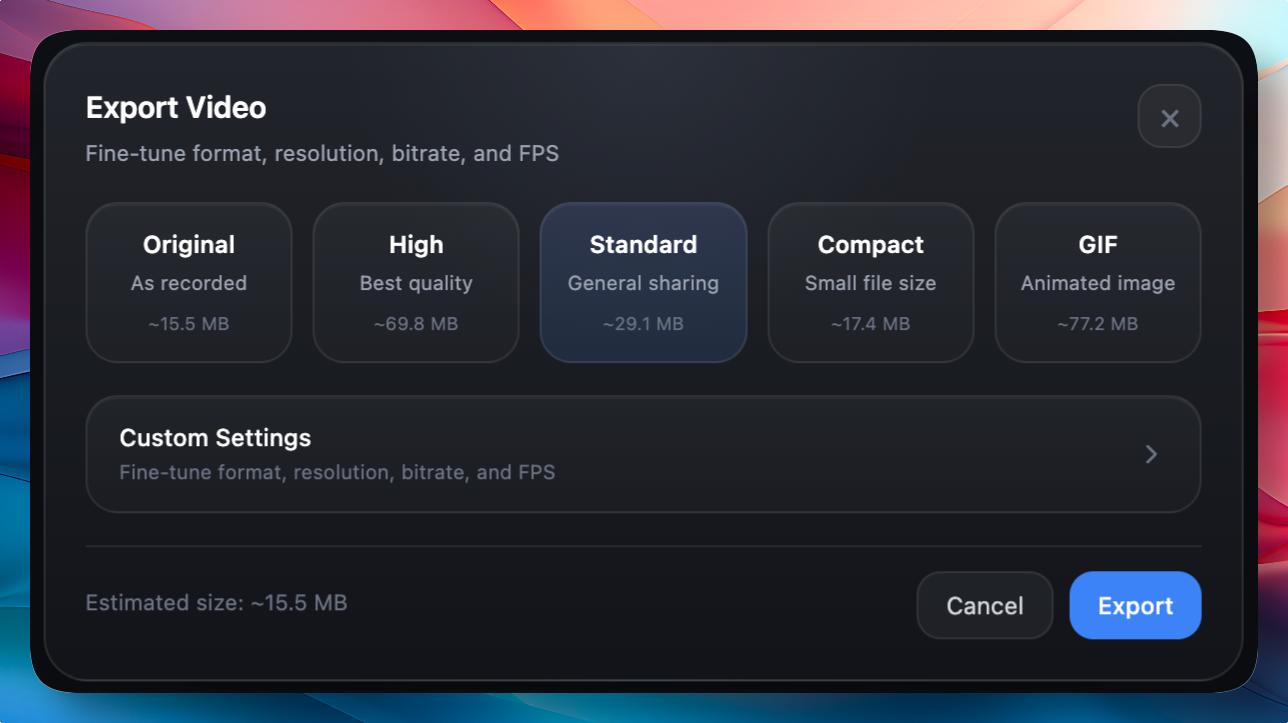
- Original: High-quality source for editing and archiving
- High: Presentations and external sharing (up to 4K / 30fps)
- Standard: General collaboration (up to 1080p / 30fps)
- Compact: Lightweight sharing (up to 720p / 30fps)
- GIF: Short looping instructional animations
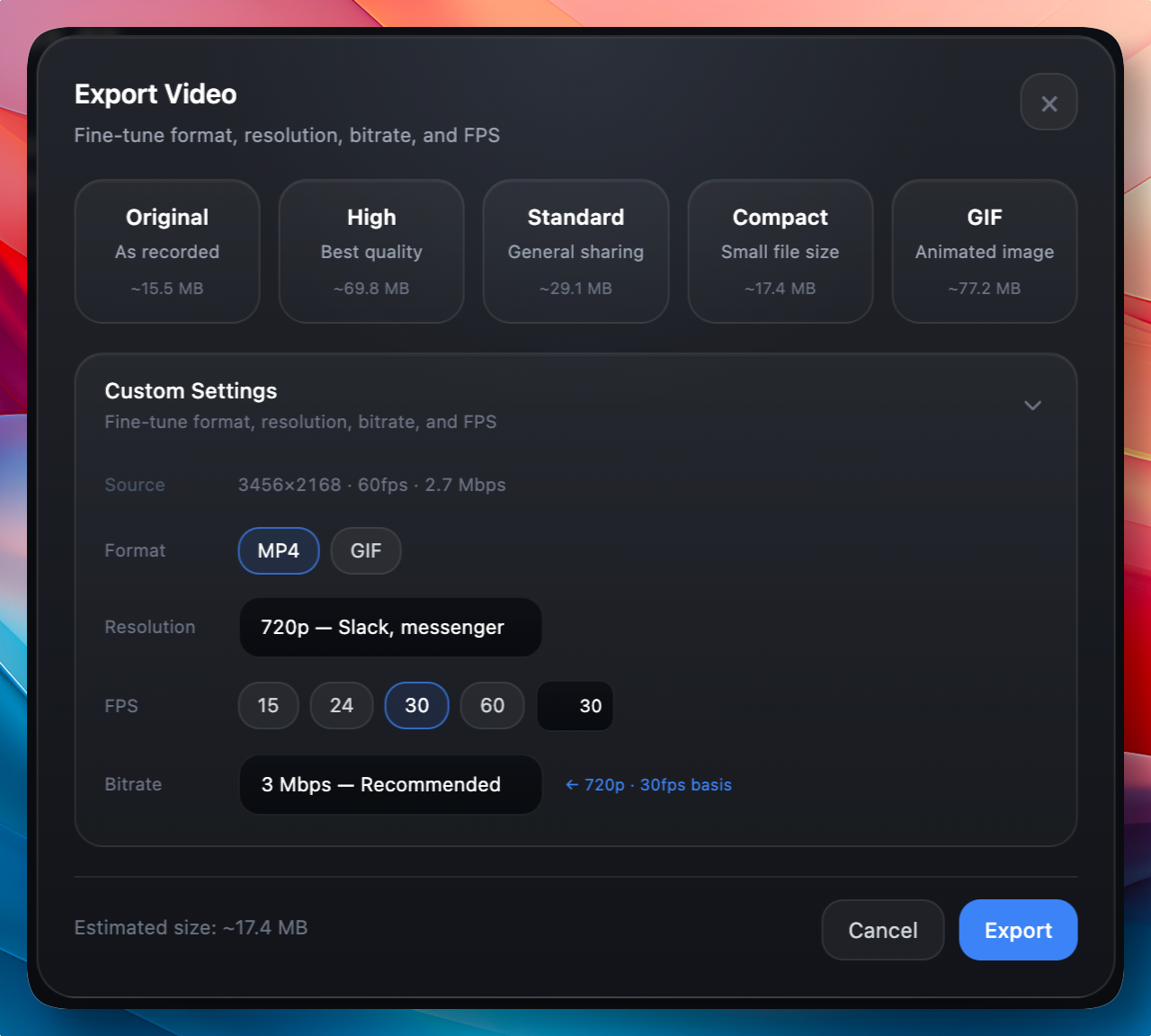
You can also fine-tune resolution, frame rate, bitrate, and more through custom settings to export exactly the way you need. Choose the optimal options for your use case.
Preset bitrates adapt to the source and output settings rather than using one fixed value. Review the export dialog for the current bitrate and estimated file size. Save a repeatable setup with Editor Presets, and see Copy, share, or export for output actions and automatic closing.