 Snapr
SnaprCustom Cursor
Snapr offers a custom cursor feature to make your mouse movements stand out in recordings. Instead of the default system cursor, you can apply various styles and effects to your cursor in post-editing. Combined with spring-smoothed motion and motion blur, every pointer movement feels fluid and intentional — giving your capture a cinematic quality that keeps viewers engaged. This makes Snapr more than a simple screen recorder; it is a capture and cinematic post-production tool rolled into one, helping you deliver polished tutorials and product demos effortlessly.
- Multiple cursor icons and adjustable size
- Smooth cursor motion (jitter removal, spring-based movement)
- Motion blur trail effect
- Mouse click visual effects
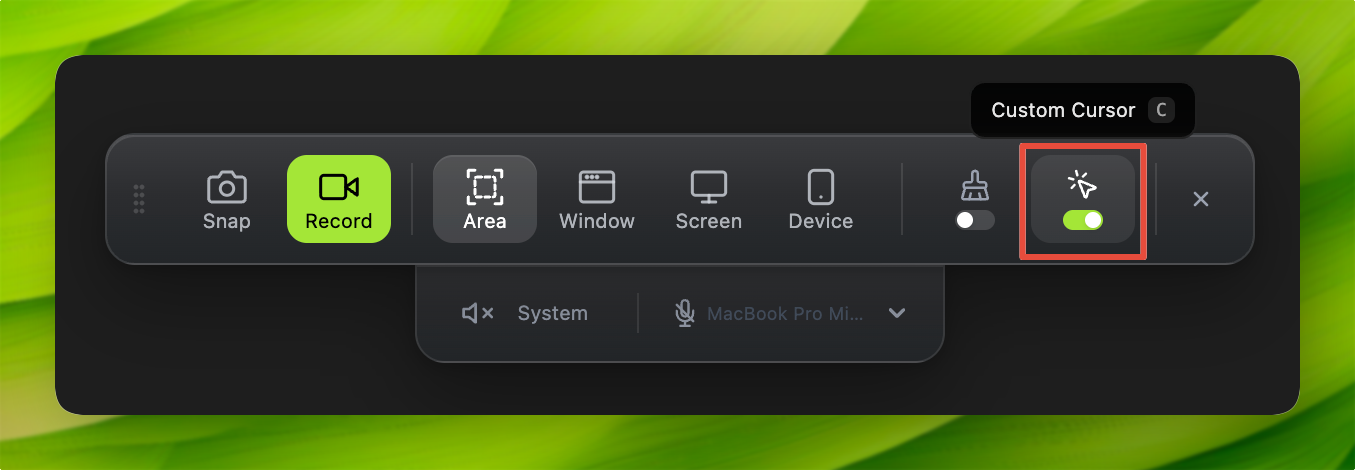
Enable the Custom Cursor option after activating capture mode, then record. Cursor settings become available in the editor.
You can change the cursor style or adjust motion settings to provide clearer visual feedback to viewers. This is especially useful for tutorial or presentation videos.