Snapr
Snapr应用主题
这篇指南只讲重点:什么是应用主题、它与叠加主题的区别,以及如何快速创建。
应用主题 vs 叠加主题#
两者都使用同一个自定义主题目录:
macOS/Linux: ~/.snapr/themes/
Windows: %USERPROFILE%\.snapr\themes\
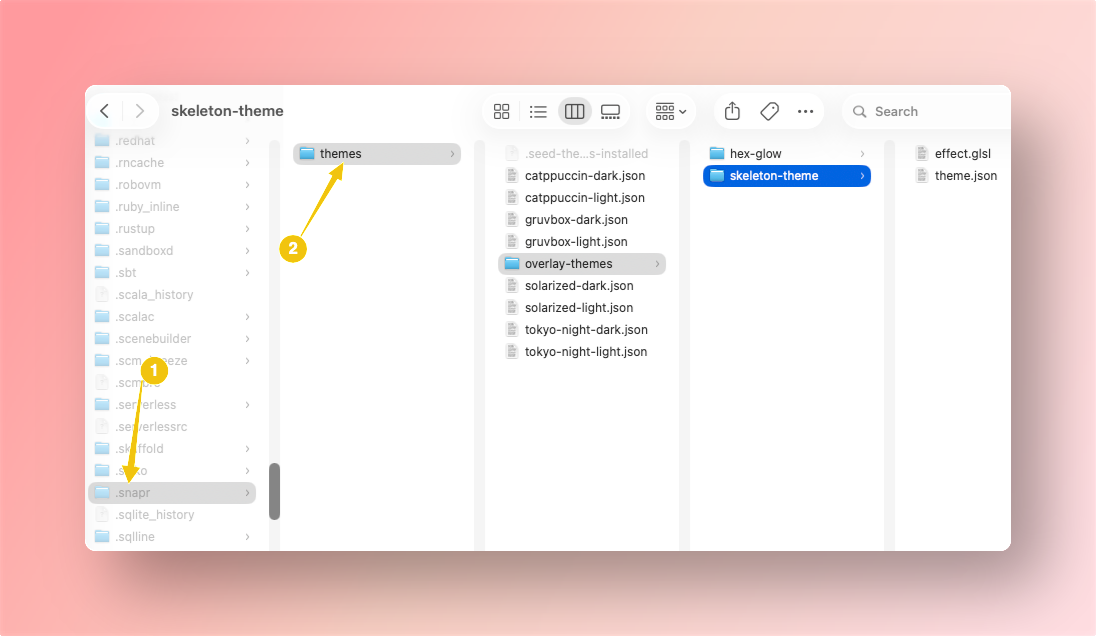
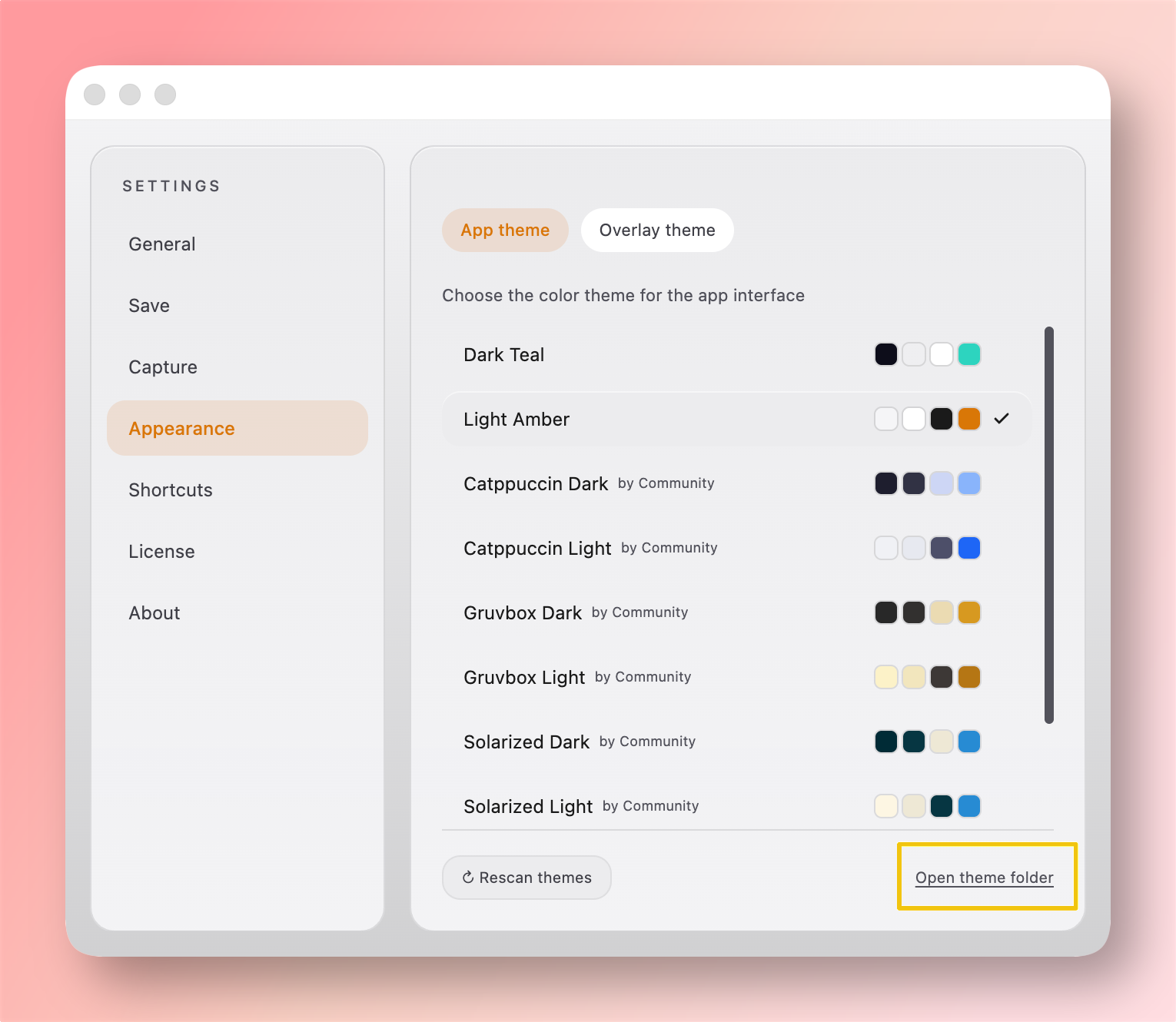
也可以在 Settings → Appearance → Open theme folder 中直接打开该文件夹。
但控制的界面不同:
| 类型 | 控制范围 | 常用键 |
|---|---|---|
type: "app" | 应用 UI 配色(设置、编辑器面板、文本、按钮、边框) | --color-bg, --color-text, --color-accent |
type: "overlay" | 截图选择叠加层视觉效果 | stroke, dimBg, lineWidth, effect |
简而言之:应用主题是工作区配色,叠加主题是截图选择层外观。
如何创建应用主题#
- 在自定义主题目录中创建一个
.json文件。 - 填写必需字段:
type、id、name、variables。 schemaVersion使用数字(例如:1)。- 打开 Settings → Appearance。
- 点击 Rescan themes 并选择你的主题。
示例(solarized-dark.json):
{
  "type": "app",
  "id": "solarized-dark",
  "name": "Solarized Dark",
  "schemaVersion": 1,
  "variables": {
    "--color-bg": "#002b36",
    "--color-surface": "rgba(7,54,66,0.85)",
    "--color-text": "#fdf6e3",
    "--color-text-secondary": "#93a1a1",
    "--color-border": "rgba(238,232,213,0.20)",
    "--color-accent": "#b58900",
    "--color-accent-on": "#002b36"
  }
}
最小示例(accent-only.json):
{
  "type": "app",
  "id": "accent-only",
  "name": "Accent Only",
  "schemaVersion": 1,
  "variables": {
    "--color-accent": "#a6e22e",
    "--color-accent-on": "#272822"
  }
}
主题示例包#
包含 Solarized / Monokai 风格变体的应用主题示例:
将文件放入主题目录后,点击 Rescan themes。