 Snapr
SnaprFor a long time, Snapr treated a finished capture as the end of the workflow.
The file was ready. You could copy it, edit it, reveal it in a folder, or share it. That covers the common paths, but my own workflow often had one more step: run a small tool that was too specific to belong in a general capture app.
Sometimes that tool transforms the file. Sometimes it sends the capture somewhere, extracts information from it, or produces a second artifact. The useful part is not any single action. It is being able to connect an action at the moment a capture finishes.
This was not a marketplace idea or an ecosystem strategy. It started because I wanted Snapr to fit the way I already work.
But adding each of my scripts as a built-in feature would only replace one limitation with another. Someone else might want to optimize every screenshot, upload it to an internal server, generate a bug report, remove metadata, run a vision model, or convert a recording into a GIF. Snapr would slowly become responsible for every tool that could possibly run after a capture.
So I added a small opening instead: a way for local tools to receive a capture and return useful results to Snapr.
A feature for myself, with the door left open#
The plugin system started entirely from my own workflow. I had a post-capture action I wanted to run without leaving Snapr, but the more important decision was not to make that action special.
At the same time, I was fairly sure I was not the only developer with a strangely specific post-capture routine.
Developers already keep small scripts for jobs that are too personal for a general-purpose app: renaming files according to a project convention, sending assets to a private API, extracting a value from an image, or assembling a report in exactly the format a team expects. These scripts are useful precisely because they do not need to make sense for everyone.
I did not want Snapr to predict those workflows. I wanted it to provide the moment where they can begin.
That moment is right after a capture, while Snapr still knows what was captured and where the file is.
From the floating preview, More actions → Post Process opens a list of compatible plugin actions. The same sheet can open automatically after every capture, or with Command/Ctrl + P.
The interaction belongs to Snapr. What happens next belongs to the plugin.
Why plugins are registered from a repository#
The first version is deliberately local. There is no marketplace and no automatic download flow.
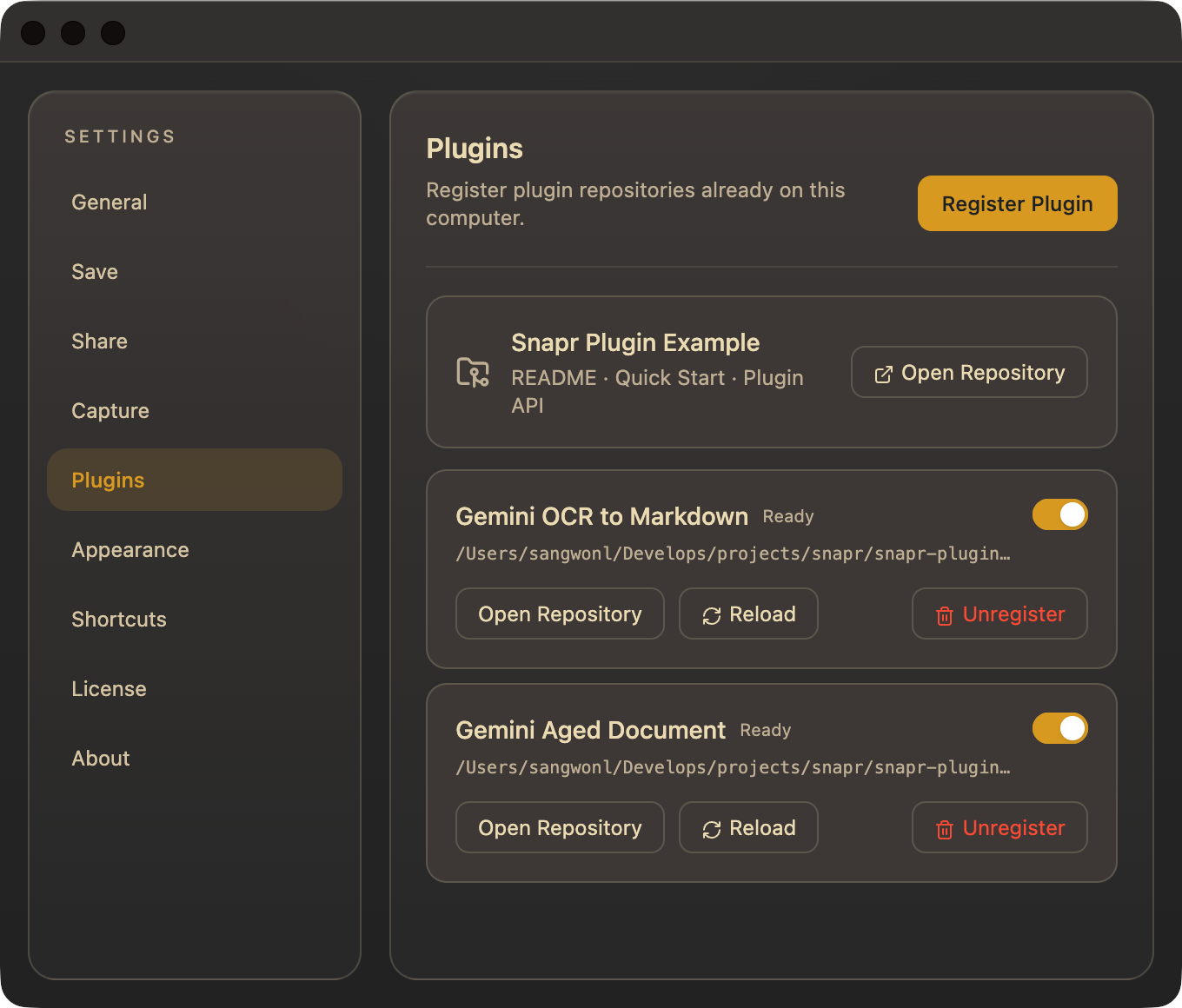
You clone or download a plugin repository, prepare whatever environment it needs, then register that directory in Settings → Plugins. Snapr stores the path to the repository rather than copying the plugin into an application-managed folder.
That detail matters for development. The registered repository stays a normal working copy:
snapr-plugin-my-workflow/
├── .venv/
├── snapr.plugin.json
├── plugin.py
└── tests/
You can edit it in your usual editor, commit it, pull an update, or switch branches. After changing the manifest or actions, Reload makes Snapr inspect the repository again. There is no extra install-copy-edit cycle between the plugin and its source.
Snapr also does not assume that Node.js, Python, or any other runtime happens to be available through the system PATH. Each plugin declares a repository-relative executable for macOS and Windows:
{
  "manifestVersion": 1,
  "id": "dev.snapr.example",
  "name": "Snapr Plugin Example",
  "version": "0.1.0",
  "runners": {
    "darwin": {
      "command": ".venv/bin/python",
      "args": ["plugin.py"]
    },
    "win32": {
      "command": ".venv/Scripts/python.exe",
      "args": ["plugin.py"]
    }
  },
  "actions": [
    {
      "id": "create-example-report",
      "name": "Create Example Report",
      "accepts": ["image", "video"]
    }
  ]
}
In this example, the plugin owns its Python virtual environment and dependencies. Another plugin could ship a Node runtime, a compiled executable, or something else entirely. Snapr does not need to understand how it was built. It only needs a runner it can start.
This keeps the boundary small: Snapr manages the capture workflow, while the plugin manages its own technical choices.
The protocol is intentionally boring#
When an action runs, Snapr starts the declared executable and sends one JSON request to its standard input:
{
  "protocolVersion": 1,
  "runId": "unique-run-id",
  "pluginId": "dev.snapr.example",
  "actionId": "create-example-report",
  "input": {
    "kind": "image",
    "path": "/absolute/path/to/capture.png"
  },
  "outputDirectory": "/absolute/path/to/plugin-output",
  "config": {}
}
The plugin writes line-delimited JSON events to standard output. It can report status and progress before returning a final result:
{"type":"status","message":"Reading capture metadata"}
{"type":"progress","current":1,"total":2,"message":"Building report"}
{"type":"progress","current":2,"total":2,"message":"Writing Markdown"}
{"type":"result","artifacts":[{"kind":"file","path":"report.md","title":"Example Markdown report","mediaType":"text/markdown"}]}
Logs go to standard error. Standard output stays machine-readable.
There is no SDK requirement and no in-process plugin API. A plugin can be written in any language that can read one JSON line and write a few JSON lines back. Keeping the protocol process-based also means a failed plugin does not run inside Snapr's renderer.
Snapr takes care of the surrounding lifecycle: it filters actions by image or video input, shows progress, supports cancellation, creates a per-run output directory, validates returned files, and presents the results.
A result can contain a file, image, text, URL, or notification. For a generated Markdown file, the primary action is Reveal. Snapr does not guess which editor should open it or take over the next part of the workflow.
The first experiment: OCR to Markdown#
Once the plugin path existed, I used it for the first specific workflow I had in mind: turning the visible contents of a screenshot into an editable Markdown document.
I built a Python plugin that sends the image to Gemini and asks it to preserve the visible content as Markdown. The plugin keeps its API key in its own repository-local environment file. Snapr only gives it the captured image and an output directory.
The plugin is available as Gemini OCR to Markdown for Snapr, including its setup instructions and source.
The goal is not to summarize the screenshot or rewrite it. It is to preserve the source as closely as possible while translating visible structure into Markdown:
- headings remain headings
- lists remain lists
- code becomes fenced code blocks
- tables become Markdown tables where possible
- Korean and English text stay in their original language
It is only one example. Someone else can make a plugin that extracts code, turns a UI screenshot into a structured issue report, or handles an entirely different kind of capture. Snapr does not have to choose one answer.
A small trust boundary, not a sandbox#
Local plugins are programs, not declarative extensions. They run with the same user permissions as Snapr, and they are not sandboxed.
That gives them enough freedom to use virtual environments, native binaries, network APIs, and local developer tools. It also means a plugin repository must be treated like any other code you run on your machine.
Snapr validates the manifest and checks that returned file artifacts stay inside the output directory. That protects the host workflow from malformed results, but it does not make untrusted plugin code safe. You should inspect a repository, understand its setup steps, and trust its source before registering it.
Starting with local repositories makes that relationship explicit. A marketplace may come later, but discovery and one-click installation would also need a stronger answer for review, signing, updates, and trust. I did not want to hide those problems behind an Install button in the first version.
What I hope people build#
I built plugins because I wanted OCR-to-Markdown. The more interesting outcome would be seeing someone use the same boundary for a workflow I would never have added to Snapr myself.
Maybe that is an internal upload tool. Maybe it creates documentation, compresses media according to a team's rules, files a bug with the capture attached, or sends a screenshot into a local vision pipeline. It does not need a large audience. It only needs to remove friction for the person who made it.
The Snapr Plugin Example is a dependency-free reference repository that creates a Markdown report from an image or video capture. It includes the manifest, runner protocol, result artifacts, and tests needed to use as a starting point.
For now, plugins are intentionally simple: clone a repository, prepare its environment, register it in Snapr, and run it after a capture.
That is enough for my OCR workflow. I am hoping another developer looks at the same small opening and recognizes one of their own.
Snapr is a screen capture tool for macOS and Windows. Its local post-capture plugins can connect image and video captures to custom tools while keeping each plugin's runtime and dependencies in its own repository.